Reviewed by Dustin Dunn — VP Sales Operations
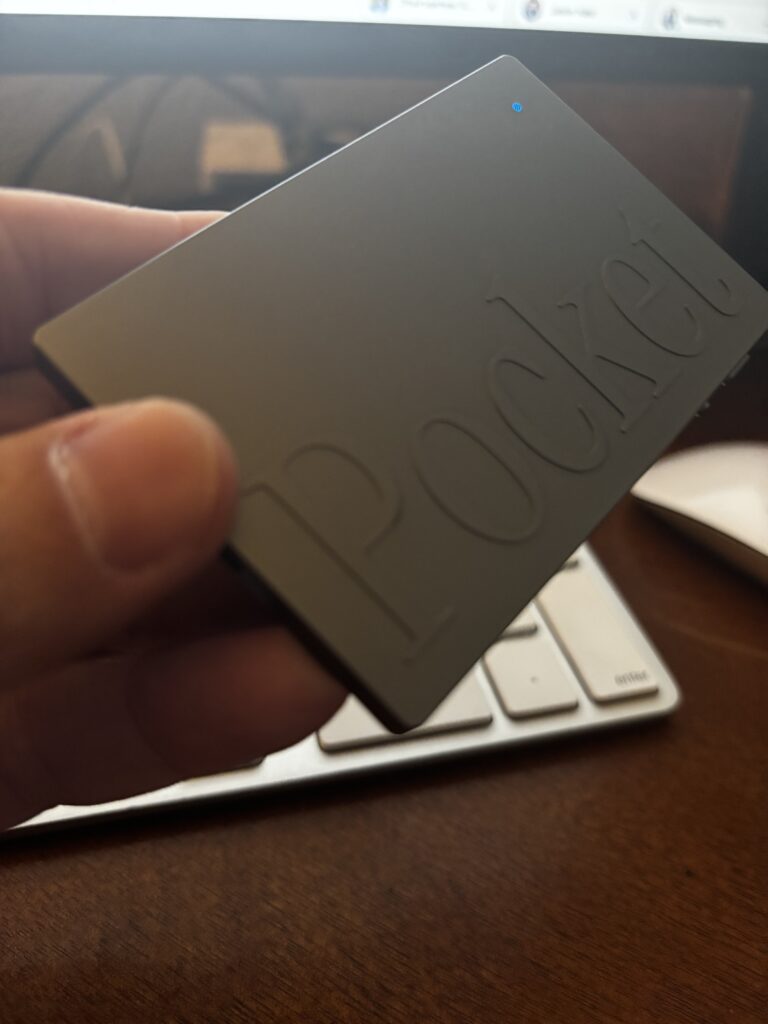
Pocket is the tool I use daily. $129 device, unlimited free transcription, works for in-person and phone.
Who This Review Is For
I’m a VP of Revenue Operations. My calendar is a contact sport.
On any given week, I’m running discovery calls with prospective vendors, coaching direct reports through deal reviews, and sitting in cross-functional meetings where decisions get made and commitments get buried in the noise. I don’t review AI gadgets for a living. I evaluate tools like the Pocket AI voice recorder that solve real operational problems, and I only write about the ones I’ve personally put to work.
I bought the Pocket AI voice recorder because I had a problem I couldn’t solve any other way. Over two weeks, I logged 24 hours of meetings and walked out of most of them with action items I could barely reconstruct by the end of the day. Not from inattention. From the simple physics of being fully present in a conversation while simultaneously trying to capture it.
This review is written for revenue-facing professionals who live in the same reality: AEs running back-to-back discovery calls, CSMs managing a book of accounts, RevOps leaders context-switching between pipeline reviews and vendor evaluations, and anyone in a leadership role who needs to retain what was said and who said it.
If you’re a tech reviewer looking for spec comparisons, there are better places to start. If you’re a revenue professional wondering whether this device actually earns its place in your workflow, keep reading.
The Problem It’s Solving
Revenue-facing roles have a structural information problem that nobody budgets time to fix.
It has three layers. First, the present/capture tradeoff. You physically cannot be fully engaged in a conversation and simultaneously document it with any precision. The moment you shift attention to your notes, you’ve left the room mentally. Buyers notice. Direct reports notice. The quality of the conversation degrades.
Second, information decay. Human memory doesn’t hold meeting content the way we assume it does. The specific objection a prospect raised, the exact commitment a direct report made, the nuanced concern a customer buried in the middle of a QBR: these details start fading within hours. By the time you’re back at your desk between the next two meetings, the precision is already gone.
Third, volume. Revenue professionals don’t have one important meeting a week. They have six in a day. The cognitive load of retaining critical information across that volume isn’t a discipline problem. It’s a math problem.
The downstream consequence that actually costs money: commitments get dropped. Action items fall through the cracks, not because people are careless, but because the system for capturing them is broken. A vague follow-up email sent two hours after a discovery call, reconstructed from memory, is not the same as an accurate record of what was said and agreed to. The difference shows up in deal velocity, in coaching accountability, and in whether customers feel heard.
That’s the problem Pocket is built to solve. Whether it actually solves it is what the rest of this review covers.
First Impressions: Hardware
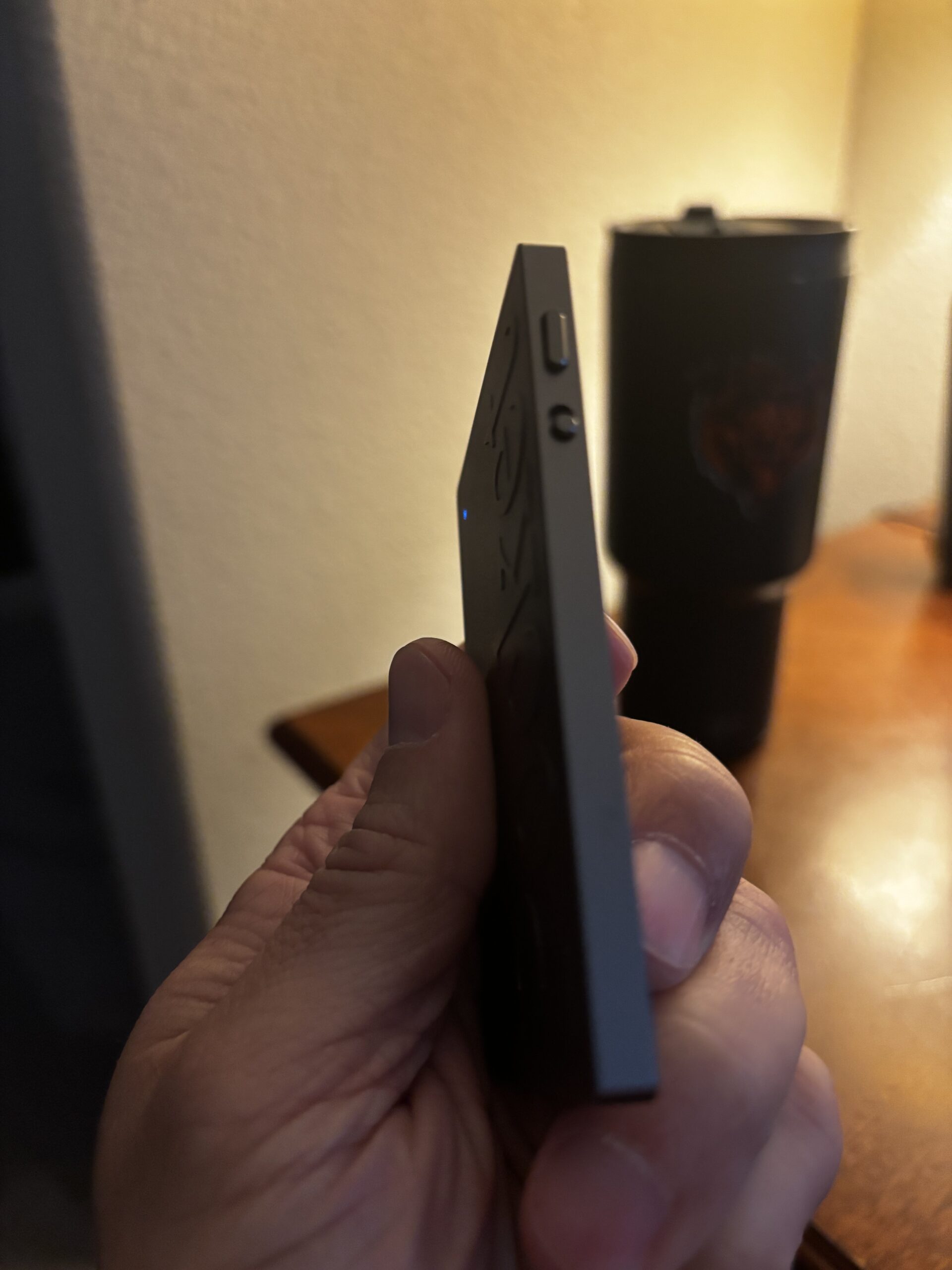
The Pocket is smaller than you expect. That’s the first thing you notice when you take it out of the box. It’s genuinely pocketable in a way that the product name implies but you don’t fully believe until it’s in your hand. Lightweight and minimal, it almost disappears. There’s no heft to it, no bulk, nothing that signals “recording device” to anyone in the room.
That matters more than it sounds. A device you have to explain or apologize for has already failed half its job.
The build is intentionally understated. No premium unboxing moment, no aggressive industrial design. It feels like something engineered to be invisible, which for a tool you’re going to set on a conference table between yourself and a prospect, is exactly the right design philosophy. My standard setup is a device on the desk, equidistant between me and whoever I’m meeting with. Nobody has asked about it. Nobody has visibly reacted to it. It sits there and does its job while I do mine.
One practical note: the controls are simple enough that operating it doesn’t require you to look at it, fumble with it, or explain what you’re doing. You start it before the meeting begins and forget it’s there. When it works, that invisibility is the product.
Set Up and Day One
Out of the box, the first recording took me about 10 to 15 minutes. That’s not a complaint. For a hardware device with a companion app, that’s a reasonable onboarding window. But it’s worth knowing what those minutes involve so you’re not sitting down two minutes before a meeting expecting to be ready.
The setup sequence is three steps in practice: download the app, create an account, and pair the device via Bluetooth. None of it is complicated, but each step is sequential, and you can’t skip ahead. The app also needed an update before it would connect, which adds a few minutes if you’re not on WiFi.
First impression of the app itself: cleaner than expected. After the pairing completed, I ran a short test recording in my office. The summary appeared quickly and was easy to locate. No digging through menus, no ambiguous file names. The interface surfaces what you need without making you hunt for it.
What I’d tell someone setting this up for the first time: do it the night before your first real meeting, not the morning of. Give yourself 15 minutes without a calendar deadline attached to it. The setup is straightforward, but it’s not instant, and the first time you use any new tool in a live meeting, you want the mechanics to already be familiar.
Day one verdict: low friction, no surprises, ready to use by the following morning.
Real Use: Discovery Calls
This is where Pocket earns its place in the workflow or doesn’t. For me, it earns it.
Discovery calls have a specific information problem. The conversation moves fast, the prospect controls the direction, and the most important details are rarely the ones you anticipated. You’re listening for pain, probing for fit, managing rapport, and tracking next steps simultaneously. Note-taking in that environment is either a distraction or a fiction. You’re writing down what you think you heard, not what was actually said.
In one of my early Pocket sessions, I was running discovery on a prospective vendor evaluation. The conversation covered a lot of ground. By the time I got back to my desk, the broad strokes were intact, but the operational specifics were already fuzzy in the way meeting details always get fuzzy when three other things are competing for your attention.
The Pocket summary had it. The prospect had described a review process that was split across multiple teams. Each team needed to work through their own stage of the evaluation independently before anything could be consolidated. That level of operational detail, the specific structure of how their review process was organized, would have been paraphrased out of existence in my mental reconstruction. I would have written “multi-stakeholder review process” in my follow-up and moved on.
Instead, I had the actual structure. That changed how I framed the follow-up entirely, sequencing the next steps around their team structure rather than a generic evaluation timeline.
That’s the value. Not transcription. Not word-for-word recall. The retention of operational specifics that change how you act after the meeting ends.
Real Use: 1:1s and Coaching Conversations
The internal use case is a different animal from discovery calls, and the first thing you’ll discover is that the consent dynamic plays out differently than you expect.
With a prospect or external vendor, placing a small device on the table reads as professional and unremarkable. In a 1:1 with a direct report, it lands differently. The first time I used Pocket in a coaching conversation, the other person noticed it immediately. There was a beat of surprise, not hostility, but a visible recalibration. I explained what it was. They agreed to continue. The conversation proceeded normally.
That moment is worth acknowledging because it’s real and because it shapes how you deploy the tool internally. You’re not going to drop Pocket on the table in a sensitive performance conversation without a word. The right approach is to mention it at the top, explain the purpose briefly, and let the other person decide. In my experience, that conversation takes thirty seconds, and most people are fine with it, but you need to have it.
Once past the consent moment, the value proposition for 1:1s is distinct from discovery. It’s not about capturing the unexpected detail a prospect revealed. It’s about accountability. Coaching conversations produce commitments: development goals, behavior changes, specific actions with timelines. The failure mode isn’t forgetting what was discussed. It’s arriving at the next 1:1 with a fuzzy recollection of what was actually agreed to versus what was aspirationally discussed.
Pocket removes that ambiguity. What was said is what was said.
Limitations: The Honest List
No tool review is complete without this section. Here are the three friction points I’ve hit in actual use.
The free tier is a preview, not a product.
The device itself works on the free tier. It records, it summarizes, and it gives you the core output. Where the free tier falls short is in the interactive layer. The ability to ask follow-up questions about a recording, to query the content, drill into a specific moment, and extract a detail you need is capped. You hit the question limit faster than you’d expect in a real workflow, and when you do, you immediately feel the ceiling.
For a revenue professional who uses this daily in multiple meetings, the free tier will not be sufficient. Budget for Pro from day one and treat it as part of the tool cost, not an upsell.
Accuracy requires a light review pass.
The summaries are good. Genuinely good, better than I expected. But they are not perfect. The errors I’ve encountered are mostly missed words and names that require manual correction after the fact. Proper nouns, industry-specific terminology, and names of people or companies are the most common failure points. None of these errors broke a summary or made it unusable, but they do mean you can’t treat the output as final without a quick scan. Build that two-minute review into your post-meeting routine and it’s a non-issue.
You will forget to turn it on.
This is the most human limitation on the list, and it has nothing to do with the product. The Pocket is small, unobtrusive, and easy to leave sitting on your desk while you walk into a meeting empty-handed. I’ve done it. The fix is simple: make it part of your pre-meeting setup the same way you’d open your laptop or pull up your notes. Device on the table before the conversation starts. It takes ten seconds to build the habit, and the cost of not having it in a meeting you needed it for is immediate.
Pocket vs. The Alternatives
The two names that come up most when revenue professionals start researching AI meeting tools are Otter.ai and Fireflies. I evaluated both before buying Pocket and ruled them out for a single reason: they only work on virtual calls.
That is not a minor limitation if your meeting reality includes in-person discovery, on-site customer visits, hallway conversations that turn into commitments, or 1:1 coaching in a conference room. Software-based transcription tools are built around the assumption that your meetings happen on Zoom or Teams, with a bot invited to the call and all parties visible on screen. The moment you walk into a physical room with another person, those tools stop working entirely.
Pocket operates in the physical world. That’s the category distinction that matters. Not feature lists or pricing tiers, but whether the tool is present in the meetings where information actually gets lost.
If your role is entirely virtual and every meeting you run is on a calendar link, Otter or Fireflies may be sufficient and worth evaluating on their own merits. I’ll cover that comparison in depth in a separate article. But for revenue professionals who move between virtual and in-person environments, which is most of us, a software-only solution solves half the problem at best.
The other common alternative people consider is laptop note-taking. I covered why that’s a broken workaround in the problem section above. The short version: typing in a meeting signals disengagement, and what you capture is a reconstruction of what was said, not a record of it.
Verdict: Is It Worth It
Yes. Without hesitation.
After using Pocket across discovery calls and 1:1 coaching conversations, it has earned a permanent place in my workflow. The core value proposition delivers. I leave meetings with an accurate record of what was said, and that record has already changed how I follow up and how I hold commitments accountable.
But here’s the honest qualifier that most reviews skip: Pocket is not a tool you deploy indiscriminately across every meeting on your calendar. The real discipline the device teaches you is meeting selection. Figuring out which conversations actually require accurate recall and which ones don’t. A quick internal standup doesn’t need Pocket. A discovery call where a prospect reveals the real structure of their buying process does. A casual check-in doesn’t. A 1:1 where a direct report commits to a behavior change does.
The professionals who will get the most value from this tool are the ones who treat it intentionally. Not as an always-on recorder but as a precision instrument deployed in the meetings where information loss has a real cost. Get that selection right, and the return on the device is immediate.
On price: budget for Pro from day one. The device without Pro is a preview of what the tool can do. The full workflow, recording, summarization, and the ability to interrogate your recordings with follow-up questions require the subscription. Factor that into your evaluation.
Dustin Dunn’s pick
Pocket is worth it if you work outside of Zoom
$129 one-time device cost. Unlimited free transcription. Phone calls, in-person meetings, and virtual — all covered by one clip-on recorder.
Get Pocket →Affiliate link — I earn a commission at no cost to you
Specs and Quick Reference
| Spec | Details |
|---|---|
| Device Price | $129 |
| Pro Subscription | $199/year |
| Free Tier | Available, limited question queries per recording |
| App Compatibility | iOS and Android |
| MagSafe Attachment | Yes |
| Recording | Automatic transcription and AI summarization |
| Output | Summary, action items, full transcript |
| Use Case | In-person and virtual meetings, 1:1s, discovery calls |
| Battery Life | Up to 4 days |
| Storage | 64GB on board, optional unlimited Cloud storage |
| Where to Buy | heypocket.com |
Pocket: $129 device · Unlimited free transcription · No minute caps
See Pocket pricing →Specs current as of May 2026. Verify current pricing and subscription tiers at heypocket.com before purchasing.
Dustin Dunn’s pick
Pocket is worth it if you work outside of Zoom
$129 one-time device cost. Unlimited free transcription. Phone calls, in-person meetings, and virtual — all covered by one clip-on recorder.
Get Pocket →Affiliate link — I earn a commission at no cost to you